
A back office built around the trip
I asked myself a simple question: "A family of three wants a holiday. I've just opened my back office. Where do I start?" The honest answer was "nowhere obvious." So I rebuilt it to follow the way you actually work, from the first phone call to the final payment.
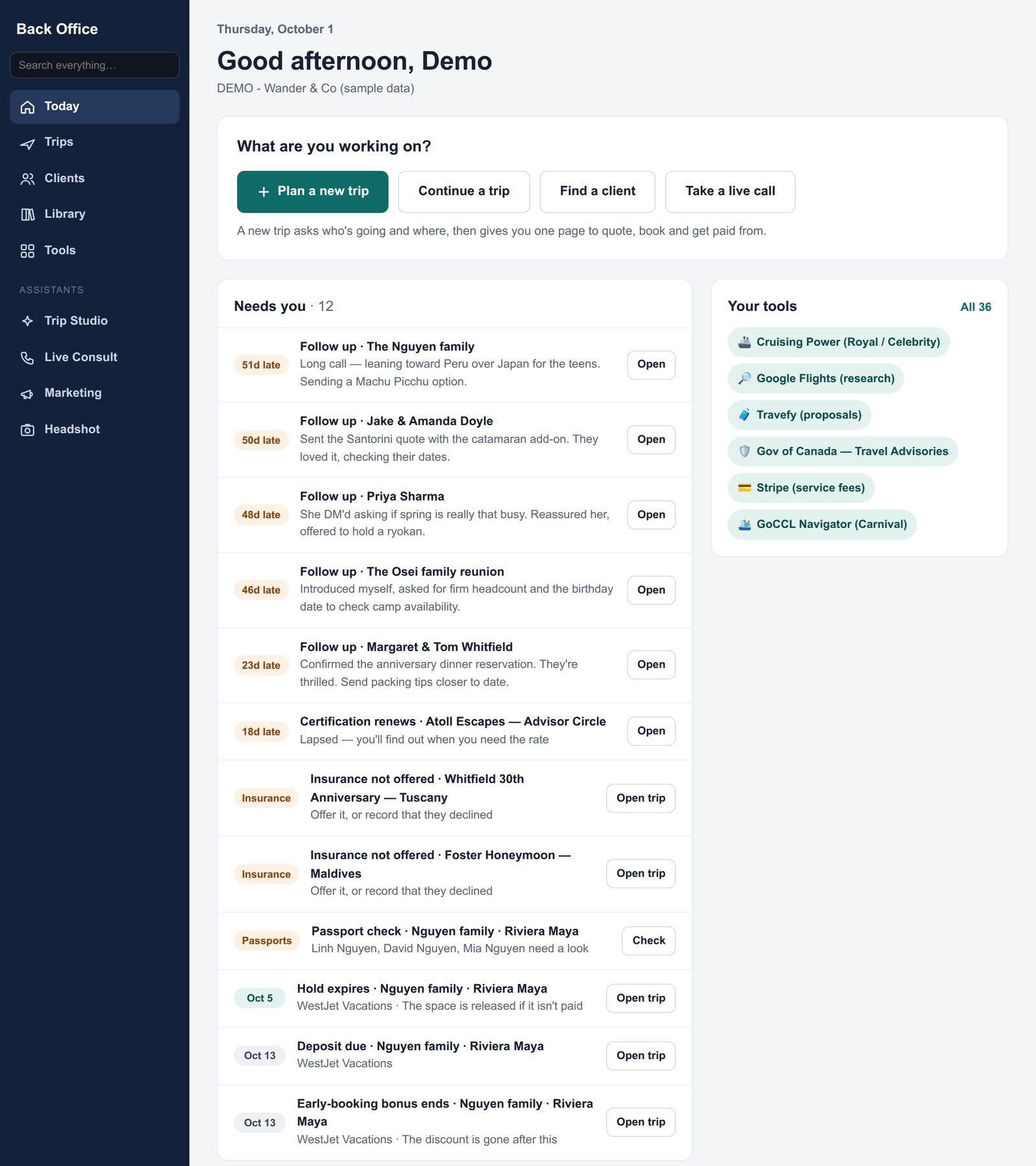
Start your day on "Today"
When you log in you land on one page that answers "what do I do now?"
- A big Plan a new trip button, right at the top.
- Needs you: follow-ups that are running late, deposits coming due, passports to check and deadlines about to pass.
- Your trips laid out by stage, from first enquiry through to booked.
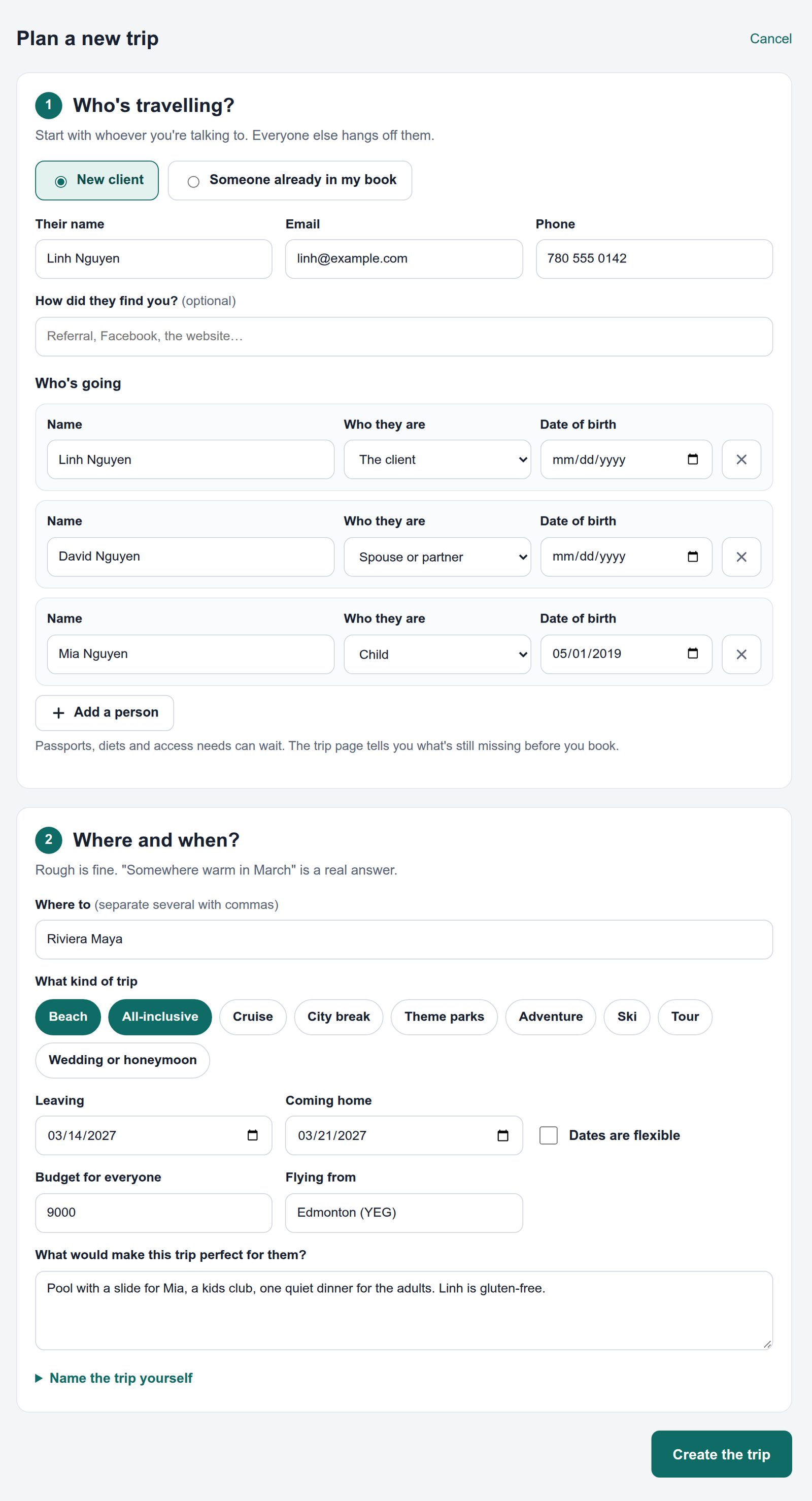
Plan a new trip, with the whole family on one screen
Before, a family of three meant filling in three separate forms. Now one short page asks two things:
- Who's travelling? Add the client and everyone going with them in one go.
- Where and when? A rough answer is fine. "Somewhere warm in March" is a real answer.
Passports, diets and access needs can wait. The trip page reminds you what's still missing before you book.
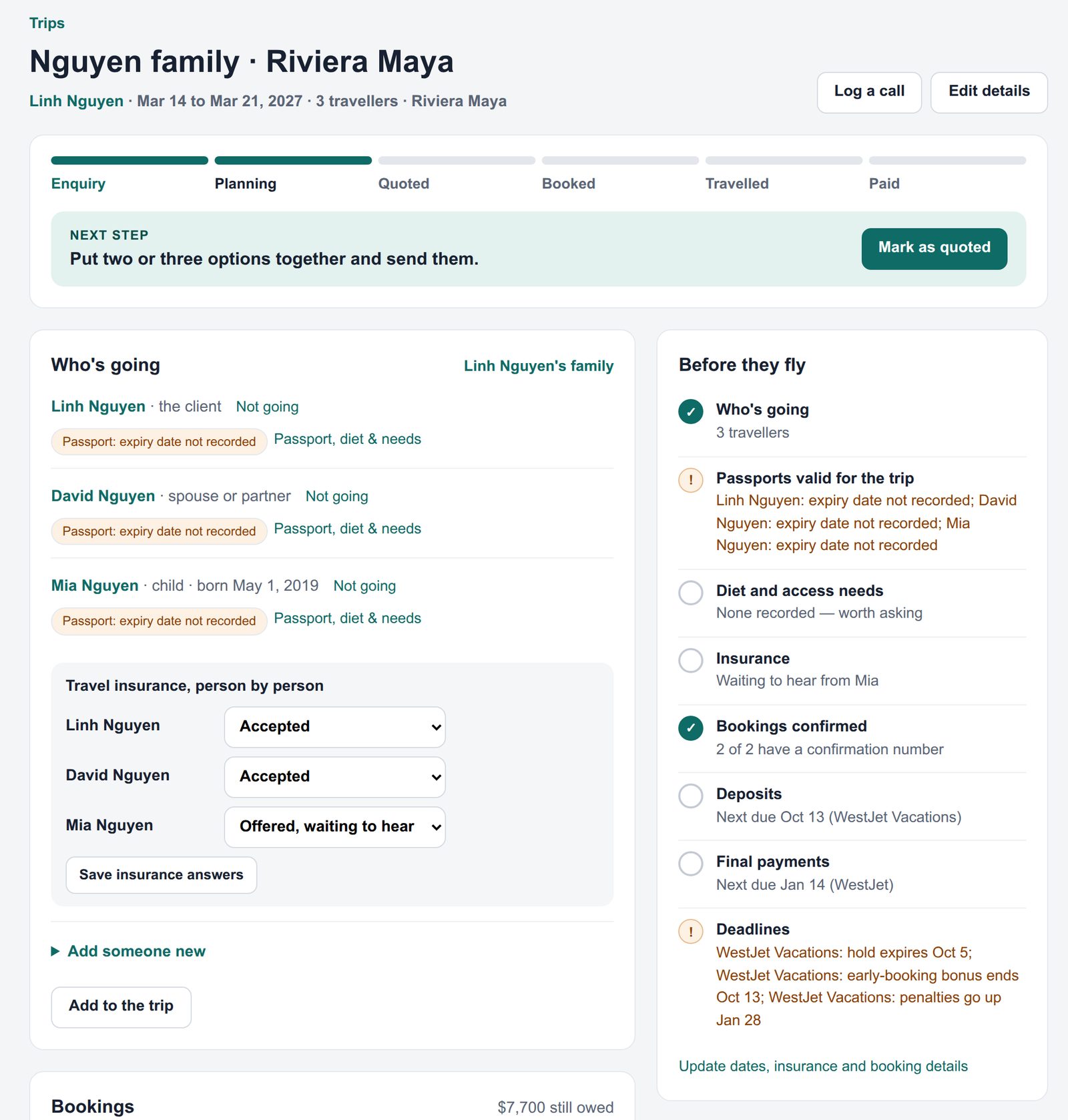
One page for each trip
Everything about a trip now lives in one place:
- Where the trip is, from enquiry to quoted to booked to paid, and the next step to take.
- Who's going, person by person.
- A "Before they fly" checklist that flags missing passport details, unanswered insurance and payments still owed.
- The money, your call notes, files and ideas for the trip.
Several bookings per trip, and what's still owed
Real trips are rarely one booking. A flight plus a hotel, or a cruise plus a pre-cruise night, can now each be added separately, with their own confirmation numbers.
- Each booking has its own price, deposit and balance, with due dates.
- One click marks a payment paid.
- The trip adds it all up: the total, what's been paid, what's still owed and your commission.
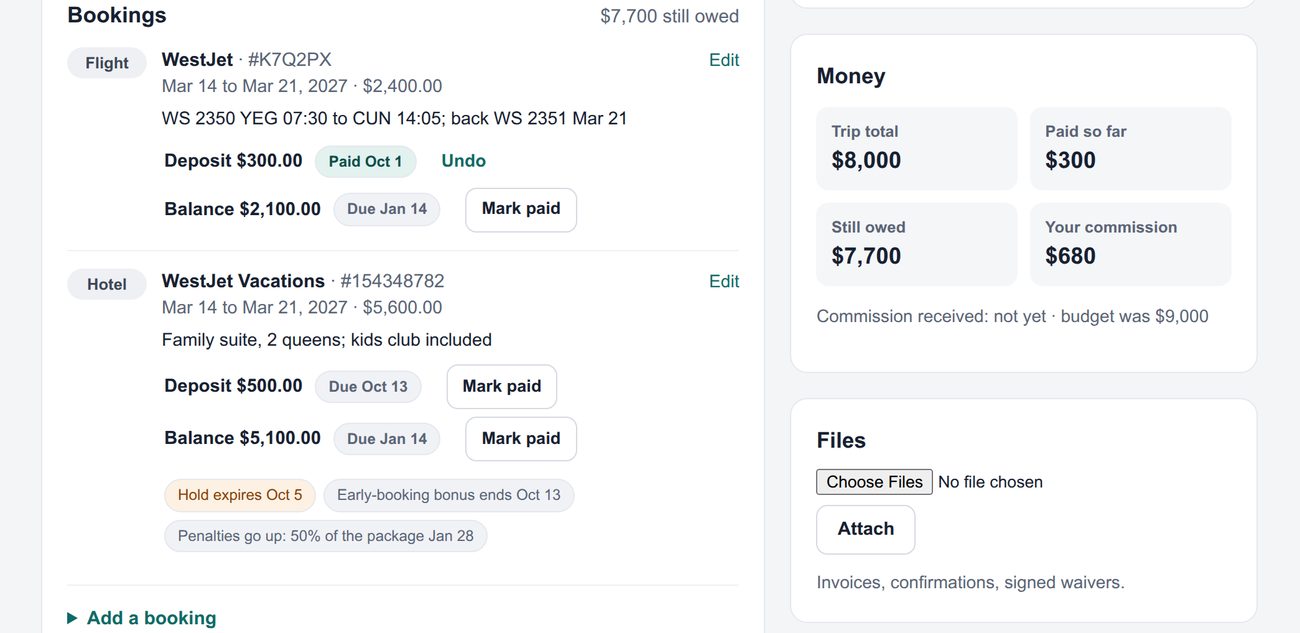
Warnings before a deadline costs your client money
Add these dates to a booking and they show up under Needs you before they pass:
- Hold expiry: when the supplier releases the space if it isn't paid.
- Early-booking bonus: when the discount disappears.
- Penalty dates: when cancelling starts to cost more, for example "50% of the package from Jan 28".
Travel insurance, person by person
Grandma takes the coverage and the grandkids don't? Insurance is now recorded for each traveller: accepted, declined, or offered and waiting to hear. If someone declines and there's no signed waiver on file, you'll see a flag.
Search finds your clients
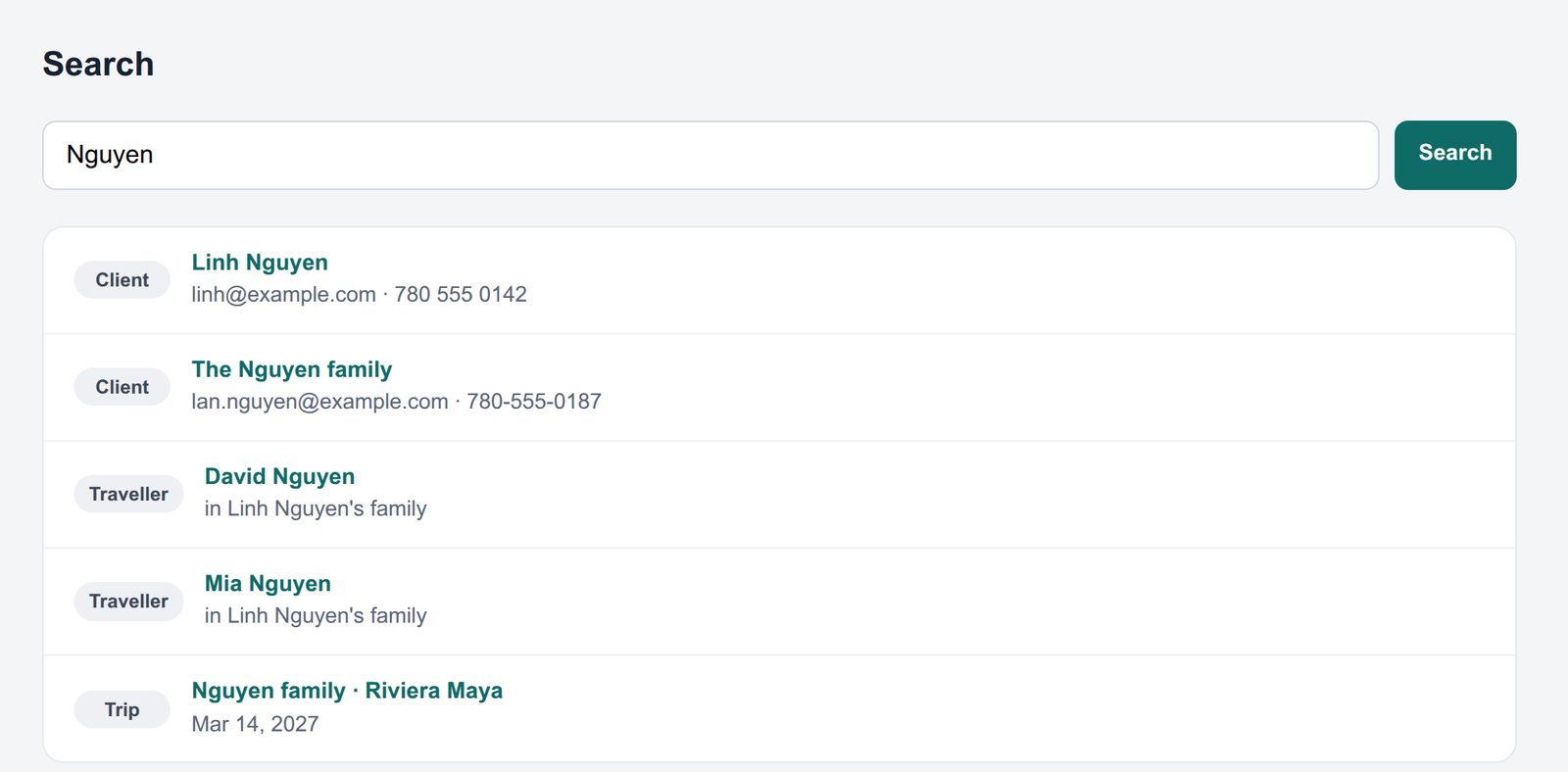
Type a name, email, phone number or booking confirmation number into the search box and you'll get the client, everyone in their family and their trips. Until now the search couldn't find a client at all.
The old menu had 19 items arranged around how the data is stored. The new one has five, arranged around what you do: Today, Trips, Clients, Library and Tools.
On a wide monitor, pages sit in the middle instead of hugging the left edge, and both halves of Plan a new trip fit side by side. Laptops and phones look the same as before.
New clients now get asked how they found you: a referral, your website, Facebook and so on.
Where did everything go?
- Clients & travellers
- Under Clients.
- Trips
- Under Trips, and on the Today page grouped by stage.
- Knowledge, destinations, suppliers, programs, templates
- On the shelves in Library.
- Your quick-launch links
- Under Tools, with your favourites also shown on Today.
- Trip Studio, Live Consult, Marketing, Headshot
- Same as before, under Assistants.